Ready for Britannia — a clearer first launch and game-file setup
Anima now helps you get from installation to the login screen with a visible game-file checklist.
Choose your world’s client files
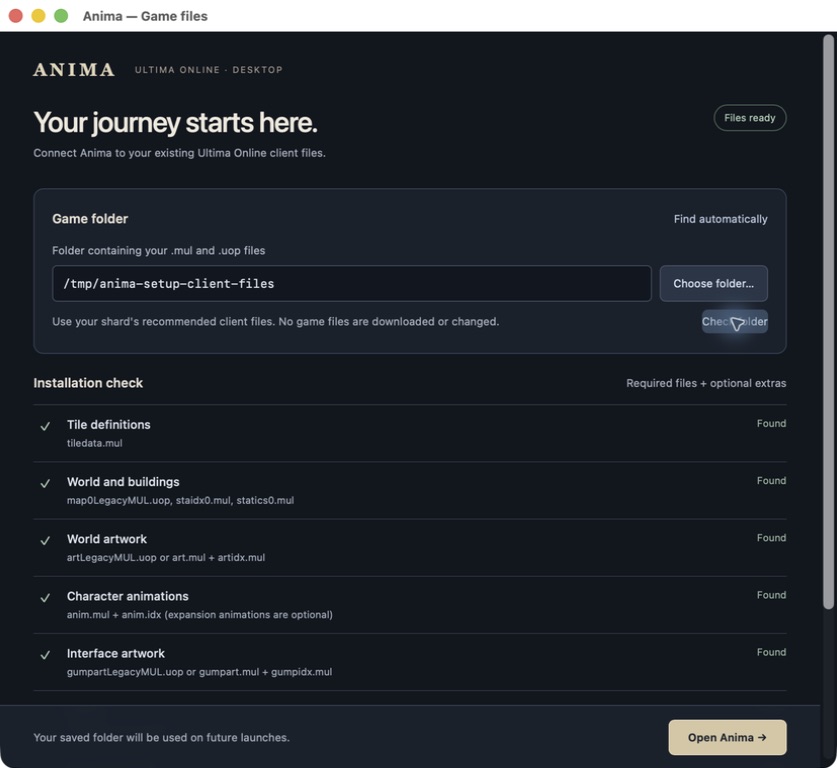
On first launch, review the detected installation or use Choose folder…. You can also paste a path and Check folder. The checklist covers the world map, tile definitions, artwork, character animations and interface files, with sound and localized names shown as optional extras. Open Anima saves a valid folder and opens your server/account library. Missing or unreadable required files stay visible with guidance; cancelling the picker keeps your current selection.
Change files when you need to
Open Anima settings → Game files… (⌘, / Ctrl+,). Save for next launch keeps your current session running. When you are ready, Restart Anima disconnects that session and reopens using the new folder. A valid saved folder is reused on future launches.
A way back from damaged app settings
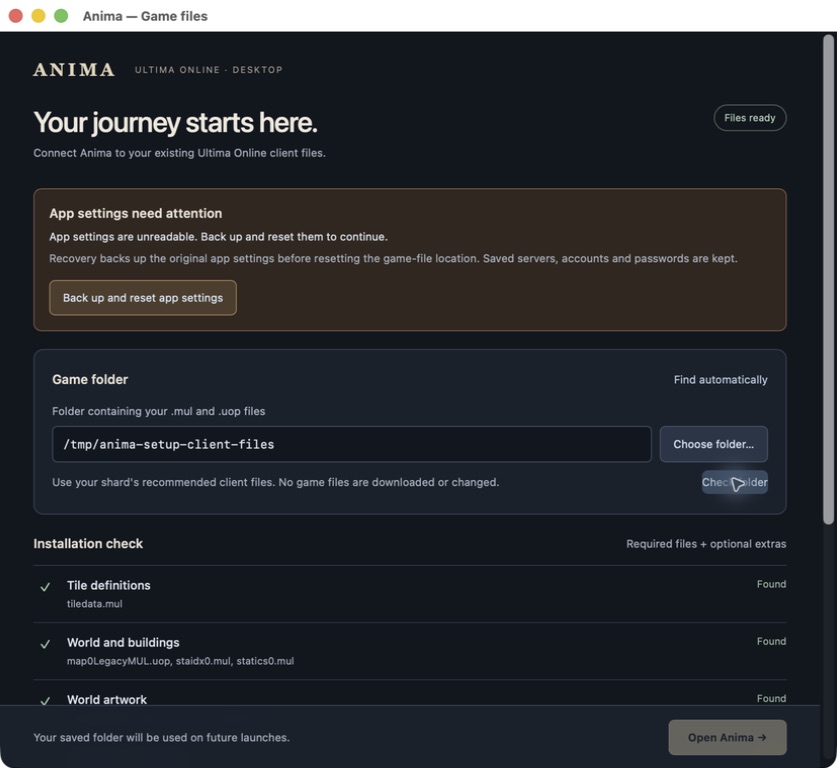
If app settings cannot be read, Anima offers Back up and reset app settings. It preserves the original file before resetting the game-file location. Your saved servers, account library and OS-stored passwords are separate and stay in place. Ordinary saves preserve unknown settings and coordinate concurrent windows.
Use the game files recommended by your shard. This build reads UOP world maps; an installation with only legacy map0.mul is not supported. The checklist is a startup check, not a complete integrity scan, and does not download or change your game files.
Available in the source build; the published v0.6.0 installers do not include this update. These are actual macOS app captures, using locally installed UO files through a temporary folder alias and disposable app settings. No real account login was used for these setup checks.
The full quality gate passed: 655 main Rust tests, 12 desktop tests, 253 web tests, lint and native/WASM compilation. Actual macOS checks covered selection/cancellation, rejecting incomplete folders, recovery backups, opening login and an in-app restart. Windows interactive validation and updated installers remain part of the ongoing client audit. Game-file setup guide.
Replies (0)
No replies yet.